Data cables are the unsung heroes of modern technology, facilitating the transfer of digital information between devices with speed and efficiency. From charging our smartphones to connecting peripherals to our computers, data cables play a crucial role in keeping us connected and productive. In this guide, we'll delve into the world of data cables, exploring their types, uses, and importance in our digital lives.
1. Types of Data Cables
USB Cables
USB (Universal Serial Bus) cables are among the most common types of data cables, used for connecting a wide range of devices, including smartphones, tablets, computers, printers, and external storage drives. USB cables come in various shapes and sizes, with different connector types such as USB-A, USB-B, USB-C, and micro USB.
Ethernet Cables
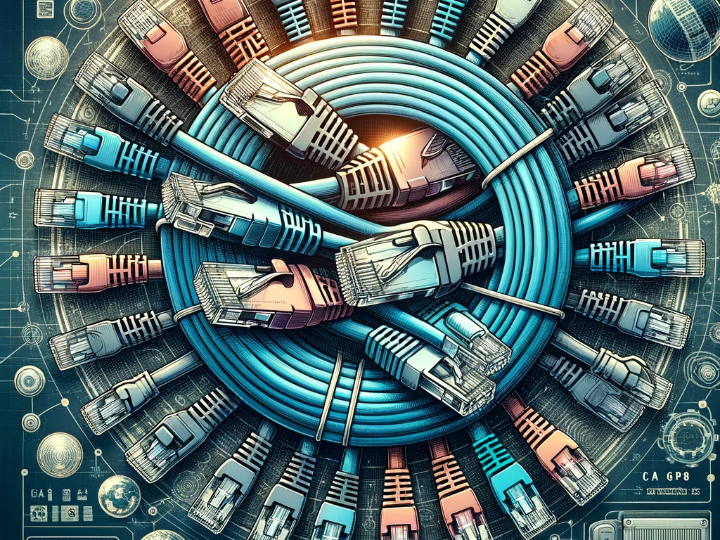
Ethernet cables, also known as network cables or LAN (Local Area Network) cables, are used to connect devices to a local network or the internet. These cables typically feature RJ45 connectors and come in different categories, such as Cat 5e, Cat 6, and Cat 7, each offering varying levels of performance and bandwidth.
HDMI Cables
HDMI (High-Definition Multimedia Interface) cables are used to transmit audio and video signals between devices such as TVs, monitors, gaming consoles, and multimedia players. HDMI cables support high-definition resolutions and digital audio formats, making them ideal for home entertainment systems and multimedia setups.
2. Anatomy of a Data Cable
Conductors
The conductors are the wires inside the cable that carry electrical signals from one device to another. These conductors are typically made of copper or aluminum and may be insulated to prevent signal interference and crosstalk.
Insulation
The insulation surrounds the conductors and provides electrical insulation and mechanical protection. Insulation materials such as PVC (Polyvinyl Chloride) or TPE (Thermoplastic Elastomer) help prevent signal loss and ensure reliable data transmission.
Connectors
The connectors are the plugs or sockets at either end of the cable that allow it to be connected to devices. These connectors come in various shapes and sizes, with different configurations depending on the type of cable and the devices being connected.
3. Uses of Data Cables
Charging Devices
One of the most common uses of data cables is for charging smartphones, tablets, laptops, and other portable devices. USB cables with charging capabilities, such as USB-A to micro USB or USB-C, are widely used for this purpose, providing fast and convenient charging for a variety of devices.
Transferring Data
Data cables are also used for transferring files and data between devices, such as transferring photos from a digital camera to a computer or syncing music to a smartphone. USB cables are particularly versatile for data transfer, offering high-speed connectivity and compatibility with a wide range of devices.
Connecting Peripherals
Data cables are essential for connecting peripherals such as printers, scanners, external hard drives, and keyboards to computers and other devices. Ethernet cables are commonly used for connecting computers to wired networks, enabling high-speed internet access and network connectivity.
4. Importance of Data Cables
Data cables play a crucial role in our increasingly connected world, enabling communication, collaboration, and productivity across a wide range of devices and applications. Whether it's charging our devices, transferring files, or accessing the internet, data cables provide the essential link that keeps our digital lives running smoothly.
5. Conclusion
Data cables may seem mundane, but their importance cannot be overstated in the realm of modern technology. From powering our devices to enabling seamless connectivity and data transfer, data cables are the lifelines that keep us connected and productive in an ever-changing digital landscape.
FAQs
- 1. What is the difference between USB-A and USB-C cables?
- USB-A cables have a rectangular connector that is commonly found on older devices, while USB-C cables have a smaller, reversible connector that is becoming increasingly common on newer devices. USB-C cables offer faster data transfer speeds and more versatile connectivity options.
- 2. What is the maximum length of an Ethernet cable?
- The maximum length of an Ethernet cable depends on the category and quality of the cable, as well as the transmission speed. In general, Ethernet cables should not exceed 100 meters (approximately 328 feet) for optimal performance.
- 3. Can I use a USB cable to transfer data between my smartphone and computer?
- Yes, USB cables are commonly used for transferring data between smartphones and computers. Depending on the devices involved, you may need a USB-A to micro USB, USB-A to USB-C, or USB-C to USB-C cable for the connection.
- 4. How do I choose the right data cable for my needs?
- When selecting a data cable, consider factors such as the type of devices you need to connect, the required data transfer speeds, and the length of the cable needed. Choose a cable with the appropriate connectors and specifications to ensure compatibility and optimal performance.
- 5. Are there wireless alternatives to data cables?
- While wireless technologies such as Wi-Fi and Bluetooth offer convenient alternatives to data cables for certain applications, data cables remain essential for high-speed data transfer, reliable connectivity, and charging devices that do not support wireless charging.